

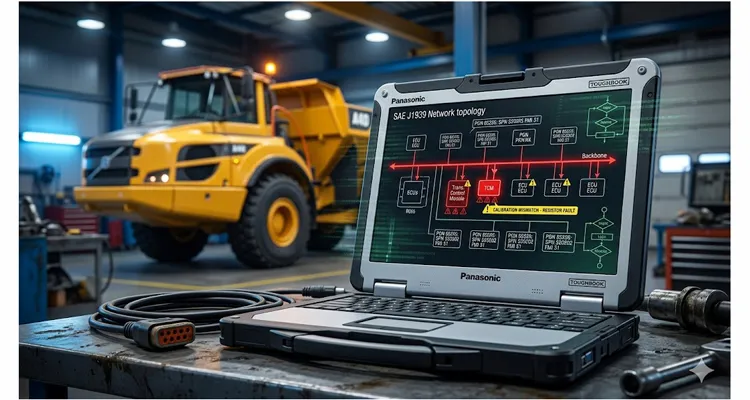
We’ve all taken that call. A machine is dead on the job site. The instrument cluster is lit up like a slot machine, and the laptop shows a fault pointing straight at the J1939 network—maybe an Abnormal Update Rate, maybe a Timeout logged against a specific Source Address. The reflex kicks in hard: reach for a fresh 120-ohm terminating resistor, start yanking T-connectors, or worse, write off a one-thousand-dollar ECU. Nine times out of ten, what you’re actually chasing is a J1939 calibration fault wearing the mask of a wiring failure. Before you throw a single part at the problem, rule out the physical layer with a J1939 physical layer troubleshooting guide — but if your resistance readings come back clean, the real battle is in the software.I have watched entire fleets burn thousands of dollars swapping ECUs and harness segments over what turned out to be a phantom calibration fault that no amount of wrench-turning could ever fix.
Slow down.
More often than I care to admit, the copper was innocent. The culprit was the configuration. A calibration fault riding on a J1939 backbone doesn’t just pop a nuisance light on the dash; it can force a seventy-ton articulated dump truck into limp mode with a full load on a twelve-percent grade. I’ve lived that exact scenario, and the repair didn’t involve a wiring diagram. It came down to a parameter group map.
Where the Problem Actually Shows Up
J1939 calibration faults almost never appear during a clean-sheet OEM build. They’re the ghosts that inhabit service bays where machines get re-powered, systems get retrofitted, or fleet managers attempt to standardize mixed-vintage equipment on their own terms.
The classic case I walked into last autumn involved a fleet of wood chippers. The owner had pulled the original Tier 3 engine and dropped in a newer Tier 4 Final package sourced from a different manufacturer. Mechanically, the bell housing lined up without a fight. Electrically, the engine ECU powered up and began broadcasting its standard BAM (Broadcast Announce Message) for the DPFE sensor data. But the chipper’s legacy controller—a twelve-year-old unit—was hard-coded to listen for a completely different SPN layout. It saw data streaming in, couldn’t map it to any meaningful value, and immediately threw a rash of J1939-9 and J1939-13 calibration errors. The wiring harness tested perfectly. The bits were scrambled.
Another breeding ground is “factory option” add-ons. A customer installs a genuine, third-party axle temperature sensor kit. The installer ties it into the network correctly—power and ground are solid. But nobody loads the revised EDS (Electronic Data Sheet) into the central vehicle controller. The controller sees a random Source Address broadcasting data for which it has no definition. It flags the node as rogue. Once again, you’re looking at a calibration fault, not a line fault.
What’s Actually Happening on the Bus
When you’re hunting a J1939 calibration fault, stop thinking about electrons and start thinking about logic. Picture the J1939 backbone as an open-bay dispatch office. Every module is shouting strings of numbers across the same room. Calibration isn’t a conversation—it’s the receiver’s cheat sheet that tells it, “the third number that guy just yelled is coolant temperature, expressed in tenths of a degree.” Without that sheet, the data stream is nothing but noise carrying a valid checksum.
Here’s what’s actually unfolding at the firmware level. Every PGN is a fixed-format freight container. The sender packs it with raw hex—say, 0x07 0xD0 for 2000 rpm. The receiver refuses to trust that number until it runs the payload through its own unpacking recipe. That recipe says: “Start at byte 2, grab two bytes, multiply by 0.125, add nothing.” If the sender’s recipe started at byte 1, or packed a 16-bit integer where a 32-bit was expected, the receiver spits out a value that isn’t just wrong—it’s physically impossible. The ECU logs a calibration fault because, by its internal rules, that data cannot be real. The complete taxonomy of these PGN definitions and SPN assignments lives in the SAE J1939-71 standard, the master dictionary every heavy-duty ECU references—whether or not it agrees with the module sitting next to it on the bus.
The Three Root Causes Behind Every Calibration Fault
A J1939 calibration fault gets logged when one of three conditions is met:
- The PGN isn’t recognized at all. The receiver’s firmware has no handler routine for it. This is routine with proprietary PGNs (those in the 0xFF00 range).
- The SPN packing is wrong. The sender places engine speed in bytes 3-4, but the receiver is hard-coded to pull it from bytes 1-2. You’ll see a value that’s wildly implausible or a failsafe default.
- The Transmission Repetition Rate is out of bounds. The receiver expects a fresh PGN every 50ms. It arrives every 250ms because the new ECU’s scheduler runs on a different tick. The receiver interprets the stale data as a signal integrity collapse and throws a calibration-specific timeout.
The truly maddening failure mode is what I’ve come to call “resonant addressing.” Two source addresses claim the same function, running marginally different software revisions, and the arbitrator on the bus can’t resolve the conflict. The network doesn’t see a short circuit. It sees a schizophrenic node.
A Flowchart You Can Actually Walk Through
Here’s the systematic troubleshooting flowchart I rely on for J1939 calibration faults. Set the multimeter aside for a moment. Start here, before you order a single part. This is a logic trap, not an electrical one.
Step 1: Freeze the Frame.
Connect your interface—a DrewTech DG Technologies VSI or a PeakCAN adapter running SavvyCAN. Don’t clear the fault yet. Pull the freeze frame data tied to the DTC (Diagnostic Trouble Code). Record the exact SPN and FMI (Failure Mode Identifier). An FMI of 13 (Out of Calibration) is our bullseye. Then, note the Source Address that logged the fault. This is your “victim” ECU.
Step 2: Identify the Talker.
Now, watch the bus traffic unfiltered. Who is broadcasting the PGN referenced in the fault? Sort your log by PGN. Isolate the offending message and record its Source Address. This is your “suspect.” Almost always, it’s a device that was recently added, reflashed, or repowered. If you see the PGN being broadcast by Source Address 0x00 (engine) but the complaint originates from Source Address 0x27 (body controller), you’ve identified your two nodes.
Step 3: The Dictionary Comparison.
This is the grind that separates a diagnostician from a parts-swapper. You need the formal documentation for both the suspect and the victim ECU—not just the pinout. You need the SPN mapping table for the specific PGN in question. I keep a binder of old SAE J1939-71 printouts and proprietary TPEM files for exactly this moment. Compare byte-for-byte.
- Is SPN 190 (Engine Speed) mapped to the same starting byte in the PGN on both ECUs?
- Do the resolution and offset match? (e.g., 0.125 rpm/bit with an offset of 0).
- If one ECU uses a 16-bit integer and the other expects a 32-bit container, you’ve found the mismatch.
Step 4: Recalibrate, Don’t Splice.
The remedy for a J1939 calibration fault is almost never a piece of wire. If you’re managing your own fleet, pull the A2L and HEX files for the suspect ECU. Through an INCA or CANape session—assuming the OEM security layers permit it—adjust the output data packing to align with what the victim controller expects. For a third-party integration, this is where a discrete CAN bridge or translator module, built around a micro-controller running a custom C routine, sits between the two nodes and repacks the PGN in real time. It’s a pure translational layer.
Five Ways to Waste a Shift
Over the years, I’ve watched sharp technicians burn entire shifts chasing ghosts on J1939 calibration faults. Don’t repeat these:
- Throwing a terminating resistor at a calibration fault. A calibration error is a logic fault. You can measure a textbook 60 ohms across the backbone and still have fundamentally incompatible software. I’ve seen techs swap five resistors in a row while the real fault sat untouched in the ECU’s lookup table. Changing resistors is mechanical muscle memory that delivers a false sense of progress. If you genuinely suspect a resistor, run a J1939 termination resistance drift test before touching the network—but don’t confuse a physical resistance drift with a calibration mismatch.
- Updating Firmware Blindly. Grabbing the absolute latest firmware for the suspect ECU can overwrite a custom calibration that was keeping a different subsystem functional. Congratulations—you’ve cleared one fault and introduced three new ones.
- Ignoring the Transport Protocol. A BAM message fault for multi-packet transfer (J1939-21) is routinely blamed on application software. But I’ve traced it to a sender configured for CMDT (Connection Mode Data Transfer) while the receiver only supports BAM. That’s a network protocol calibration error, not a content error.
- Using Car-Based Scan Tools. A generic OBD-II to J1939 adapter won’t expose proprietary PGN definitions. You’ll see a ghost fault and misdiagnose it as a “communication loss” instead of a “calibration mismatch” because you’re completely blind to the actual PGN being transmitted. When you’re deep into these logic-layer faults, a proper J1939 oscilloscope waveform diagnostics setup delivers the raw visibility no automotive scanner can touch.
- Forgetting the Cold Chain. This one catches people off guard. I had a batch of pressure sensors that passed a live calibration perfectly in a heated shop. Deploy them to the field at minus twenty degrees Celsius, and their internal reference voltage drifted just enough that broadcast values fell outside the receiver’s sanity check window—triggering a calibration fault. If the fault is intermittent, always verify calibration stability across the machine’s entire ambient operating envelope.
How to Prove You’re Done
Don’t just fire up the machine and wait for the warning lamp to stay dark. Prove the J1939 calibration fault is genuinely resolved.
Design a stress test specific to that SPN. If the fault was an intermittent calibration timeout on hydraulic oil temperature, don’t let the machine sit at idle. Apply a load bank to the hydraulic system, cycle the implement through its full range of motion at wide-open throttle, and log the PGN stream for a solid thirty minutes. Filter your capture for instances of the DTC. If the freeze frame count stays at zero, proceed to the next phase: a cold start soak test.
The final confirmation is a manual cross-check. For a pressure sensor, install a calibrated mechanical gauge on the same test port. While watching your CAN trace, take the raw hex value from the PGN, apply the scaling formula from the victim’s documentation, and verify the result matches your mechanical gauge within the accuracy band stated in the sender’s Component Technical Specification. When those numbers align, the network isn’t just quiet—it’s truthful.
The Physical Layer You Can Trust
After all the software variables are locked down, your tools become the final link in the chain. A diagnostic pass-through should never introduce noise. We build the OBD-Cable J1939 diagnostic connectors on our own shop floor to the same standard we demand from our test benches.
It’s a full-plastic overmolded design, eliminating any metal backshell that could short against a chassis rail under vibration. The cable uses fourteen-pin Deutsche DT connectors with gold-plated terminals, assembled with a four-step pressure indent crimp cycle—not the two-step shortcut that invites intermittent opens. In our internal validation, we pulled 3,200 mating cycles on the Deutsch DT connector with zero fretting corrosion visible under a 20x microscope, because the four-step crimp seals the wire-to-terminal interface before oxidation can gain a foothold. For a deeper dive into connector selection and maintenance that directly impacts your fleet budget, see our J1939 Deutsch DT HD connector guide. Every reel of our 22 AWG twisted pair undergoes a 100% continuity and hipot test before it’s cut to length. The materials are RoHS and REACH compliant as a matter of course, not treated as an upcharge. This is the baseline quality that comes from two decades on the factory floor, operating under a roof where we track ISO 9001, IATF 16949, and ISO 14001 process controls.
Here’s a quick reference for what goes into every assembly:
| Feature | Specification |
| Connector Type | 14-pin Deutsch DT, gold-plated terminals |
| Crimp Process | 4-step pressure indent cycle |
| Mating Cycle Validation | 3,200 cycles, zero fretting corrosion |
| Wire Gauge | 22 AWG twisted pair |
| Electrical Testing | 100% continuity and hipot test |
| Material Compliance | RoHS, REACH |
| Quality Management | ISO 9001, IATF 16949, ISO 14001, 5S controlled floor |
Common Questions from the Shop Floor
Q: Does a network calibration mismatch pose any physical risk to the ECU hardware itself?
No, not directly. It’s a data integrity problem. But the consequence—say, a miscalibrated DEF dosing valve driven by corrupted data—can destroy downstream physical components, which then take out the ECU driver stages.
Q: Why does flashing one controller trigger a cascade of calibration faults on untouched ECUs?
ECU application software is a tightly coupled system. When you flash a new program, the DBC or LDF file that defines the network interfaces often changes, even if the old ECU remains physically untouched. It’s now listening for a new parameter the updated system told it to expect.
Q: I have an “SAE J1939-9” compliance error. What does that mean?
This is a calibration standard specific to emissions-related data. It means the engine or aftertreatment controller has determined that a critical emissions parameter—NOx output, reagent tank level—carries an inconsistent or implausible calibration value outside of regulatory bounds.
Q: Why is a 120‑ohm terminating resistor never the cure for a J1939 calibration fault?
I’ve watched shops replace them by the dozen. Don’t. Save your box of one hundred and twenty ohm resistors for the day your resistance measurement across CAN High and CAN Low doesn’t read sixty ohms. For a calibration fault, the solution lives in software, firmware, or a translator module.
Q: Is custom C code always required, or are there no‑programming ways to repack J1939 PGNs?
Not always. For standard PGNs, many commercial gateways offer drag-and-drop configuration tools. For deeply proprietary PGNs in the off-highway sector, you may need to collaborate with a supplier who can reverse-engineer the messaging and program a custom bridge module.
Q: Why does a node go “rogue” after a battery disconnect?
Certain older flash memory types lose their custom network address claim after a total power loss and revert to a factory-default address, colliding with another module on the bus. A re-calibration of the address claim procedure is the fix.
Q: What’s the real distinction between an address claim conflict and a genuine calibration mismatch?
An ID conflict on the address claim (SA) can trigger a calibration fault, because the arbitrator eventually disables the offending node. But a calibration fault specifically means the data packed inside a valid PGN is incorrect.
Q: Why does my laptop see the data fine, but the machine controller rejects it?
Your PC application is a passive listener and typically applies no scaling or sanity checking. The machine controller is an active participant making real-time decisions against hard-coded calibration limits. Trust the controller’s diagnosis over a raw PC screen.
Q: Will a longer backbone wire cause calibration errors?
If the bus is untwisted or poorly terminated, propagation delays from excessive length—beyond forty meters at two hundred fifty kbps—can corrupt bit timing to the point where a receiver misinterprets data bytes as calibration errors. But the root cause is the physical installation, not the concept of calibration itself.
Need a Technical Sounding Board for Your Network Design?
We don’t sell software fixes here, and I can’t write your INCA scripts for you. But the physical backbone your calibrated data rides on has to be flawless. If you’re specifying a harness for a new engine integration or need to ensure your diagnostic link is absolutely transparent, let’s talk about a configuration that matches your network architecture. I have twenty years of factory notes on what holds up in mining, forestry, and agriculture.
Discuss a Custom Harness Project on WhatsApp: https://api.whatsapp.com/send/?phone=8617307168662&text=Need+Help%3F+Chat+linda+WhatsAPP&type=phone_number&app_absent=0
If you have a detailed project spec or want to send over a block diagram, use our formal engineering inquiry page. It comes directly to my desk.
Submit a Detailed Engineering Inquiry: https://obd-cable.com/contact/
