

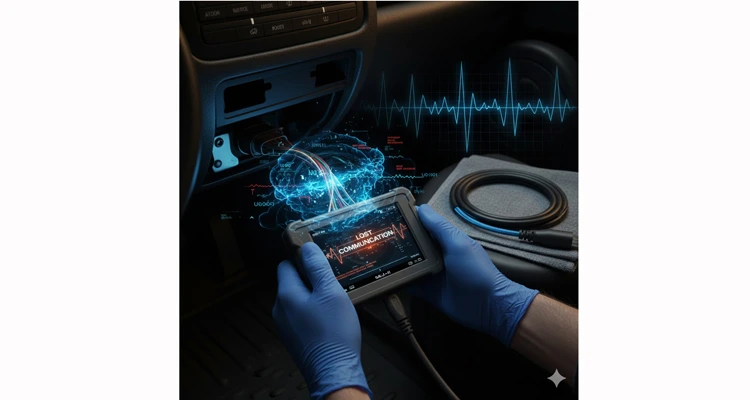
Your diagnostic session is dead in the water. The scan tool connects, reads a few PIDs, and then the screen freezes or flashes “LOST COMMUNICATION.” You jiggle the cable, and it comes back—for a minute. This isn’t just a bad cable; it’s a ghost in the machine, wasting hours of productive time and shaking confidence in your entire diagnostic process.
Chasing these gremlins requires moving beyond basic “check the connector” advice. You need a systematic, engineer-grade approach that treats the vehicle’s diagnostic bus as a network, not just a simple port. This guide is built on that principle and on a foundational idea we’ve discussed before in our article on The Real Cost of Reliability: the staggering hidden cost of unreliable components. The time you lose here in the field is the purest form of what we call the “reliability tax.” Preventing this through robust design and precise troubleshooting is always cheaper than the repair.
Let’s kill the ghost.
- Decoding the Failure Scenario: The four common “ghost” failure modes.
- Anatomy of the Ghost: A deep dive into physical, electrical, and logical root causes.
- The Field Diagnostic Protocol: A step-by-step triage to isolate the fault.
- Validation & The Critical Component: Ensuring the fix holds and when the cable is key.
Where Does the Ghost Live? Decoding the Failure Scenario
Intermittent faults are defined by their dependency on specific conditions. They are not “broken,” but “unreliable under stress.” Pinpointing the scenario is 50% of the diagnosis. Here’s where you’ll most often find them, translated from generic symptoms to specific failure modes we regularly diagnose:
The “Knee-Bend” or “Steering Pulse” Failure
Communication drops specifically during sharp right turns or when adjusting the driver’s seat. This isn’t random vibration. In our tear-downs, we’ve traced this to a fatigue fracture in the CAN bus shield within 3-5 cm of the DLC connector—caused by years of a driver’s knee pressing or the harness bending against a bracket. It’s a predictable, human-factors engineering flaw, a specific case of the “3cm fracture zone” we’ve documented. *Diagnostic Tip: Using a high-quality OBD2 extension cable to bypass the potentially worn vehicle port is a key step in quickly determining if the issue is with the DLC connector itself.*
The “Thermal Expansion Cliff”
The system works on a cold start but fails after exactly 8-12 minutes of driving. We’ve logged data showing this often coincides with the ECU case reaching 65-70°C, where a marginal solder joint on the gateway module’s transceiver finally opens. Conversely, a only-when-warm function points to a cracked PCB trace that closes with expansion.
The “Load-Shed Noise” Event
Communication fails the instant you switch on the A/C compressor. This is rarely a simple voltage drop. More often, it’s conducted EMI noise from the compressor clutch or blower motor traveling back through a shared ground. A multimeter shows stable voltage, but an oscilloscope reveals high-frequency hash on the power line.
The “Handshake Timeout”
Your scanner connects, negotiates, then dies as live data streams. This often points to marginal signal amplitude or excessive jitter on the CAN bus. The initial low-speed setup works, but the higher-speed data flow exposes weakened signals from a degraded connection or a failing termination resistor, topics we’ve detailed in our analysis of common OBD-II cable failure points.
The Ghost‘s Anatomy: A Technical Deep Dive on Root Causes
When OBD-II communication flickers, you’re dealing with a failure in one of three layers: the physical connection, the signal itself, or a sick node on the network. Understanding this is key.
1. The Connection Has Failed (Physically)
The OBD-II Data Link Connector (DLC) is a wear item. The most common culprit is terminal fretting corrosion (micromotion wear). Every time a scan tool is plugged and unplugged, the male and female pins micro-move, wearing away the thin gold plating. Oxidation builds up, creating an intermittent, high-resistance connection. This is exactly the type of wear we dissected in our article on common OBD-II cable failure points, where poor terminal plating and lack of a positive latch lead directly to field headaches.
2. The Signal Is Corrupted (Electrically)
The modern vehicle’s backbone is the Controller Area Network (CAN bus) on pins 6 (CAN_H) and 14 (CAN_L). It’s a differential pair, meant to be noise-resistant. That fails when its integrity is compromised.
Shielding Failure as an Antenna: In agricultural or hybrid-electric vehicles, if the fault correlates with motor speed, you’re likely dealing with a broken shield ground loop. The shield becomes an antenna. We’ve captured this on oscilloscopes as frequency-locked noise enveloping the CAN signal. This is why our philosophy, explained in the cost-benefit analysis of shielded vs. unshielded cables, mandates 360-degree shield termination, not just a pigtail wire—a standard enforced under our IATF 16949 quality processes and part of our pre-production checkup. This is precisely why using a professionally shielded diagnostic cable is critical in high-EMI environments.
【Diagram: Healthy vs. Compromised Shield Ground Loop, illustrating EMI intrusion paths.】
Impedance Mismatch and Reflections: A sharp kink, a crushed wire section, or an improper “vampire tap” splice (pierce connector) changes the characteristic impedance of the CAN bus line. This causes signal reflections—echoes that garble the data. Communication might work until a specific message sequence creates a destructive interference pattern.
Marginal Voltage Levels: A healthy CAN bus, measured with a multimeter (ignition on, modules awake), will show about 2.5V on CAN_H and 2.5V on CAN_L relative to ground. If you see readings like 1.8V and 3.2V, a network transceiver inside a control module is likely failing and “dragging down” one leg of the bus, often doing so intermittently as it heats up.
3. A Network Node Is Faulty (Logically)
Sometimes, the highway is fine, but one car is crashing. A control module with a failing voltage regulator or corrupted software can sporadically send floods of error frames onto the network, overwhelming it and preventing all communication, including with your scanner.
A Systematic Protocol to Fix Intermittent OBD-II Communication
Follow this sequence religiously. Do not skip steps. The goal is to isolate the fault domain efficiently, following an “outside-in, simplest-first” cost-control principle.
Step 1: Rule Out Your Own Gear – Tool, Cable, Adapte
Test the Scanner: Use it on a known-good vehicle of similar make/model/year. If it works, the tool is fine.
Test the Cable Rigorously: This is suspect #1. Never trust a “new” commodity cable. Perform a dynamic continuity test. Set your multimeter to continuity/ohms. Probe Pin 16 (power) and Pin 4 (ground) at the scanner-end connector. Now, flex the entire cable, especially near the connectors, and wiggle each connector side-to-side. The reading must stay at ~0 ohms. Any flicker to high resistance indicates an internal break. A high-quality, fully-molded OBD2 extension cable can be a critical test tool here, bypassing the vehicle’s worn port.
Verify Vehicle DLC Power & Ground: With ignition ON, confirm system voltage (~12.6V+) on Pin 16. Critically, measure voltage under load (e.g., with blower motor on high). If it drops below 12.0V, the network is unstable. Check for a clean, sub-0.1 ohm ground on Pins 4 and 5 to the vehicle chassis.
Step 2: Interrogate the Vehicle’s Physical Layer.
*【Annotated Graphic: Under-dash area highlighting the DLC, the “3cm fracture zone,” common chafing points, and aftermarket wiring.】*
The “Wiggle & Observe” Test: Connect your scanner, start logging a simple, fast-updating PID like engine RPM. Have an assistant watch the screen. Now, physically wiggle the DLC connector, bend the harness back 6-8 inches, tap on the fuse box, and gently shake any related wiring you can reach. A dropout during a specific action is your roadmap.
Visual Inspection Track: Trace the DLC harness from under the dash. Look for the “3cm fracture zone” right behind the connector, chafing against sharp metal edges, or evidence of aftermarket splices (alarms, trackers). These are failure incubators.
Basic CAN Bus Electrical Check:
- Static Test: Multimeter, DC Volts. Measure voltage between Pin 6 and ground, then Pin 14 and ground. They should sum to ~5V (e.g., 2.6V & 2.4V). A reading of 0V or battery voltage (12V) indicates a short to ground or power.
- Dynamic Test (If Possible): Use an oscilloscope. The CAN_H and CAN_L waveforms should be clean, square, mirror images. Look for rounding, noise, or amplitude drop during your “wiggle test.”
Step 3: Step 3: Isolate the Fault – The Network Test for Intermittent OBD-II Communication.
If wiring seems okay, a module is poisoning the network.
- Reference a service manual for the network topology (which modules are on the same CAN bus).
- With the vehicle OFF and battery disconnected, unplug one non-essential control module (e.g., door control module, seat module).
- Reconnect the battery, power the vehicle on, and test scanner communication.
- Repeat. If communication is restored after unplugging a specific module, you’ve found the culprit node.
The Five Most Common (and Costly) Diagnostic Mistakes
🛠️ Engineer’s Field Note: The “New-Tool-Old-Vehicle” Paradox
Scenario: Your diagnostic scanner works flawlessly on a brand-new 2026 model but fails intermittently on a 2018 unit from the same fleet. The immediate suspicion is software incompatibility or a firmware bug.
The Reality: This is often a pure mechanical fatigue issue. The older vehicle’s SAE J1962 port has likely endured hundreds of mating cycles, causing its female terminals to lose their critical ~0.5N spring retention force. Before chasing expensive software fixes, try a high-precision, engineered OBD2 Extension Cable as a diagnostic intermediary. Its fresh, in-spec terminals can bridge the mechanical gap, confirming if the root cause is port wear—saving you hours of ghost-chasing.
1. Swapping the ECU First
This is the most expensive guess in automotive repair. The ECU is rarely the cause of simple comm loss without other glaring symptoms.
2. Neglecting Ground Connections
Everyone checks for power on Pin 16. Almost no one verifies the quality of the ground path (Pins 4/5) back to the chassis or the engine block. All signals reference ground; a bad ground is a bad signal.This grounding issue is particularly prevalent in mixed-fleet operations. As we detail in our field guide, Mixed-Fleet ELD Nightmares: A Field Engineer’s Guide to Reliable J1939 9-Pin Connections, improper grounding is a primary culprit behind a cascade of intermittent communication faults.
3. Overlooking the Aftermarket
A poorly installed aftermarket radio, alarm, or GPS tracker is the #1 source of invasive, destructive wiring splices and electromagnetic noise injection on a vehicle’s electrical system.
4. Assuming Hardware, Not Software
A module may have corrupted software or incorrect configuration, causing it to balk at diagnostic requests. A re-flash might be the cure, not a replacement.
5. Trusting a Brand-New Cable
Never assume new equals good. A commodity-grade cable lacks the strain relief, shielding, and terminal quality for professional use. Your first diagnostic action should be to swap in a cable you know is reliable, designed with the rigor outlined in our J1939 supplier audit framework.
How to Be Absolutely Sure the Ghost is Gone: Validation
An intermittent fault isn’t fixed until it survives a stress test. Don’t just see a connection.
Sustained Data Load Test
Connect the scanner and begin logging a wide array of live data PIDs (20+ parameters). Let it run for at least 20 minutes with the engine running and electrical loads (blowers, lights) cycled.
Mechanical Stress Validation
While logging, repeat the “wiggle test” on the DLC and harness with more force. Gently kick (yes, kick) the under-dash area where the harness runs.
Thermal Cycle Verification
If the fault was heat-related, you must test through a full heat cycle. From a cold start, operate until the cooling fan cycles at least twice, all while logging data.
Final Road Test
Drive the vehicle. Hit potholes (safely), make hard turns, brake firmly. The data log must remain flawless. Any single dropout means the repair is incomplete.
When the Diagnosis Points to the Tooling: The Cable as a Critical Component
Often, the root cause is the diagnostic interface itself. The cable is a consumable item in a professional shop. Here’s what differentiates a tool from a toy, reflecting the standards we audit in our J1939 Supplier Audit Framework:
Connector Retention
A positive, audible latching mechanism is non-negotiable. The common friction-fit design is the primary cause of terminal wear and intermittent connection.
Strain Relief
A long, over-molded, high-durometer strain relief where the cable meets the connector prevents internal wire fracture from repeated bending. This is a basic tenet of our IATF 16949 pre-production checkup for any harness.
Shielded Construction
For diagnostics in electrically noisy environments (hybrid vehicles, repair shops with welders), a fully shielded cable with a properly terminated drain wire is essential. This isn’t an upsell; it’s a requirement for signal integrity, as detailed in our shielded vs. unshielded cable analysis.
Application-Specific Design
Not all OBD ports are created equal. Some, like those on certain BMW or Mercedes models, are deeply recessed. Using a standard cable strains the connector and port. A purpose-built, ultra-low-profile OBD2 cable is the only correct tool for the job, designed to mate securely without modification or stress.
For OEMs, fleet managers, or diagnostic equipment manufacturers, the solution often lies in a custom-engineered cable assembly. This is where our core competency comes in—translating your specific mechanical, electrical, and environmental requirements (such as those for agricultural machinery) into a reliable product, backed by a certified IATF 16949, ISO 14001, and ISO 9001 management system that ensures consistency from prototype to production run.
Frequently Asked Questions (FAQ)
Q1: My scanner gets power but says “No Communication” on every protocol. What’s the first check?
A: Start with Step 1 of the protocol above. In over 70% of cases, the issue is a lack of power or ground at the DLC (check fuses for the “cigarette lighter” or diagnostic port circuit), or a complete failure of the vehicle’s gateway module, which acts as the network translator.
Q2: Communication is perfect with the engine off but drops immediately when I start the engine. Why?
A: In 80% of such cases, your multimeter will show normal system voltage. The real culprit is AC ripple noise from the alternator or ignition system. Switch your multimeter to AC millivolts and measure at Pin 16. A reading over 50mV AC with the engine running points to a failing battery (which no longer filters ripple) or a loose alternator ground strap acting as a noise pump.
Q3: Can a weak vehicle battery cause intermittent OBD-II issues?
A: Absolutely. A battery with high internal resistance causes system voltage to collapse during cranking or when a high-load accessory engages. This brownout can cause control modules to reset sporadically. Always measure battery voltage under load (during crank) as part of your initial checks.
Q4: I replaced a control module, and now I have intermittent communication. What went wrong?
A: First, confirm the replacement module is correctly programmed and coded for the vehicle’s VIN and equipment. If software is correct, physically inspect the connector at the new module. A pin not fully seated, a bent terminal during installation, or a connector lock that isn’t fully engaged are very common post-repair faults.
Q5: What is the single most useful tool for diagnosing intermittent CAN bus faults, beyond a scan tool?
A: A digital storage oscilloscope (DSO), even a simple two-channel model, is invaluable. It allows you to see the actual CAN waveforms, measure their amplitude, and visually identify noise, signal rounding, or reflections that a multimeter or scanner cannot detect.
Q6: Is “wiggling the harness” a legitimate professional diagnostic technique?
A: For intermittent faults, it is not only legitimate—it is the primary technique. Controlled mechanical stress is the only way to replicate a fault caused by vibration or movement. The key is to do it systematically and while monitoring the network’s response in real-time.
Q7: Why do my fleet vehicles of the same model keep having the same intermittent OBD issue?
A: This points to a systematic design or manufacturing weakness in that vehicle’s wiring harness, DLC placement, or a specific control module. It warrants a deep dive and may justify the development of a custom, more robust harness solution as a permanent fix, something we specialize in for demanding applications like agricultural machinery.
Q8: I’ve done everything here and still can’t find the fault. What’s left?
A: You may be dealing with an intermittent internal fault inside a control module (like a failing crystal oscillator) that only manifests under very specific conditions. The next step is often module substitution with a known-good unit, or employing a professional network analyzer tool that can monitor all bus traffic and pinpoint the source of error frames.
Stalled by an Intermittent Fault You Can’t Pin Down? Need a Custom Solution?
Our engineering team specializes in solving complex vehicular electrical connectivity problems.
We provide full IATF 16949-compliant OEM customization—length, shielding, connectors, AWG, color, branding—backed by 100% testing.
