

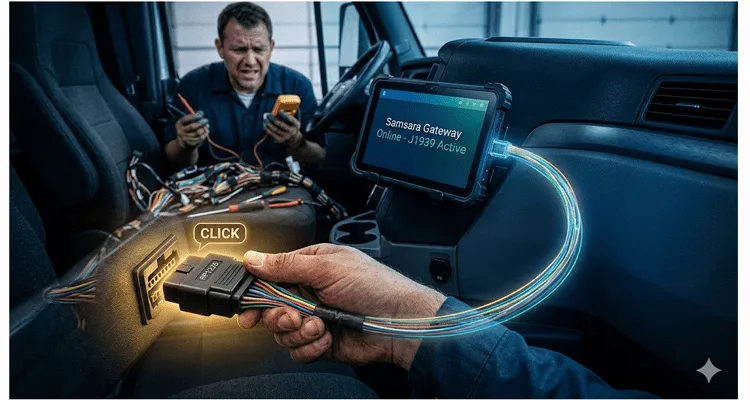
I spent last Tuesday afternoon in a 2022 Cascadia parked behind a Pilot truck stop outside Atlanta. The fleet manager was done talking. He just pointed at the dash and waited—arms crossed, jaw tight. His new Samsara gateway was showing “ECM Communication Error,” but the truck ran fine. No warning lights, no drivability issues. His technician had already blamed the RP1226 port, wiggled the wires, and was ready to order a whole new chassis harness. That’s a $4,000 mistake I’ve watched too many shops make.
I didn’t touch a multimeter for the first ten minutes. I just sat in the driver’s seat, reached under the passenger side dash, and pushed the 14-pin plug in until I heard a click you could barely hear over the yard hostler. Problem solved. What should have been a five-figure parts order turned into a zero-dollar fix. For a deeper look at how much these diagnostic downtime moments actually cost a fleet, we built a diagnostic downtime cost calculator guide based on real fleet data—because I got tired of guessing what an hour of downtime was worth.
This is the reality of the RP1226 connector. The RP1226 is that rectangular 14-pin socket you’ve seen under the dash of pretty much every new truck rolling out of the factory since 2019—Freightliners, Western Stars, Volvos, you name it. TMC RP1226 is the spec number, but in the shop, we just call it “that damn port behind the passenger kick panel.” As the Technology & Maintenance Council (TMC) explains, this connector was developed because the traditional OBD2 port proved inadequate for heavy-duty commercial vehicle applications, especially for telematics service providers who don’t primarily rely on it for data sourcing. It’s designed to give telematics providers—and you—clean access to J1939 and J1708 data without splicing into the factory backbone. But standardized just means everyone agreed where to put the holes. It doesn’t mean the holes are any good. And it definitely doesn’t mean the guy wiring your truck last Friday afternoon cared about your telematics data. I’ve cut open enough brand-new harnesses to know that “standard” is a suggestion, not a guarantee.
Here is what I’ve learned in 20 years of building these harnesses and troubleshooting them in the field. If your telematics data is dropping, if your ELD is glitching, or if you’re staring at a dead screen, the RP1226 port is likely the culprit—but probably not for the reason you think.
Why the Engineers Moved It (And Why We Hate It)
The old 9-pin Deutsch connector hung under the driver’s side dash like a cheap trailer hitch ball—ugly, always in the way, but you could find it in the dark blindfolded. The RP1226? They buried it on the passenger side behind the kick panel. Sure, drivers don’t kick it anymore. But now every cable run has to cross the transmission hump, which means every seat adjustment becomes a potential wire cutter. We’ve covered the common pitfalls of that old 9-pin design extensively in our 9-pin Deutsch connector diagnostic fix guide, but the move to RP1226 created a whole new set of problems nobody talked about in the planning meetings.
The RP1226 spec provides Pin 1 for switched power and Pin 7 for ignition sense. In theory, this means you don’t need to tap a separate fuse. In practice, it means if the truck manufacturer decides to back-probe the connector differently, your device gets 0 volts. We’ve traced more than a few “dead” telematics gateways back to a Freightliner assembly line decision that moved power to a different pin—usually Pin 14. No documentation. No sticker. Just a silent change that kills your data stream.
The Pinout Truth (Keep This in Your Glovebox)
You cannot troubleshoot this by guesswork. Before you print this table and tape it to your toolbox, understand this: I’ve pulled apart RP1226 connectors where the wire colors didn’t match anything on this chart. Freightliner uses yellow for CAN H most days, but I’ve seen green on a Tuesday and white on a Wednesday. Treat this as a starting point, not gospel. Always back-probe and verify before you assume.
Here is the actual pinout for the RP1226 14-Pin Connector (OBD II connector end view, looking at the pins on the truck side):
| Pin | Function | Wire Color (Typical) | Voltage/State | Field Note |
| 1 | Battery Power (Switched) | Red/White | 12/24V (Ignition on) | Check this first. 80% of “dead port” calls are blown fuse #34 under the hood. |
| 2 | J1939 S-CAN High | Yellow | 2.5V nominal | If this reads 0V but Pin 9 reads 5V, someone swapped the pair. Unswap it. |
| 4 | J1939 K-CAN High | Green | 2.5V nominal | Not populated on some early 2020 Cascadias. You’ll need to pull data from Pin 2/9. |
| 7 | Ignition Input | White | 12V when running | Some devices use this to know when the truck is on. If it’s missing, your device might stay on 24/7. |
| 8 | Ground | Black/White | 0V | The reference point for everything. A bad ground here causes chaos. |
| 9 | J1939 S-CAN Low | Green | 2.5V nominal | Companion to Pin 2. Should mirror Pin 2 voltage. |
| 11 | J1939 K-CAN Low | Brown | 2.5V nominal | Companion to Pin 4. |
| Others | Manufacturer Discretionary | Various | Use for specific OEM features | Don’t assume these are populated. Probe before you rely on them. |
Note: If you are looking for the J1708 (the old data bus for engine faults), it is generally not available on the RP1226. You need the 9-pin for that legacy data. The RP1226 is focused on the newer CAN networks, specifically the SAE J1939 protocol which has become the industry standard for communication and diagnostics among heavy-duty vehicle components. For a deeper dive into keeping those older systems online, see our piece on J1708 diagnostics and legacy support.
The 3-Step “No Guesswork” Diagnostic Procedure
Before you type that parts order number, run this sequence. It takes eight minutes and has saved my shop from ordering three ECUs we didn’t need last year alone.
Step 1: The Physical “Click” Test
Unplug the connector from your telematics device (Geotab, Motive, Samsara, etc.) and plug it directly into the truck’s RP1226 port. You are checking two things:
- Retention: Does it lock? I have seen 2023 Western Stars where the clip on the truck-side port was broken from Day 1. The harness falls out over the first bump.
- Seating: The pins on these connectors are delicate. If the cable is strained, the pins can push back into the housing. You might be plugged in, but the pin isn’t touching the socket.
Step 2: The Voltage Check (Don’t Trust the “Click”)
Get your multimeter. With the ignition on:
- Probe Pin 1 and Pin 8. You should see system voltage (12.6V-13.8V).
- If you have power here, the truck is feeding the port.
- If you have no power, check Pin 14. I’ve got photos of three 2022 Volvo VNLs on my phone right now where Pin 14 was live and Pin 1 was dead. Motive even warns about this in their install docs—page 14 of the VNL guide, if you want to check. Your standard RP1226 cable is looking for power on Pin 1. If the truck put it on 14, your device is bricked until you repin or swap harnesses.
Step 3: The CAN Check
If you have power but no data:
- Probe Pin 2 (CAN H) and Pin 9 (CAN L) relative to ground. You should see a reading between 2.5V and 2.7V on each line. This indicates the bus is active and terminated properly.
- If those readings are off, check Pins 4 and 11 as well. Some trucks only populate one of the CAN pairs. We’ve seen Freightliner ship certain spec Cascadias with only the S-CAN active. For a systematic approach to tracking down these kinds of elusive issues, our guide on how to diagnose intermittent CAN bus failures is a good resource.
Five Mistakes I See in the Shop Every Month
Mistake #1: Treating the Green 9-Pin Like a Spare Tire
I watched a technician last month plug a telematics device into the green 9-pin J1939 port because “it was closer.” It worked—for about three hours. Then the dealer showed up with their diagnostic laptop, couldn’t establish communication, and spent two hours tracing a conflict they didn’t create. That green port is for scan tools only. The RP1226 is the designated telematics tap. Using the green one is like drinking the coolant because it’s in a bottle—technically liquid, technically wrong, and expensive to fix.
Mistake #2: Over-torquing the Locking Ring
Some RP1226 cables have a threaded ring. Technicians crank it down with pliers. This warps the plastic housing and breaks the solder joints on the pins inside the connector. Finger-tight is tight enough. If it vibrates loose, you have a retention problem, not a torque problem. This goes to the heart of why we at our ISO 9001-certified facility debate the crimp vs. solder vibration reliability constantly. Crimping wins every time for longevity.
Mistake #3: Ignoring Pin 7 (Ignition)
Some devices use Pin 7 to know when the truck is on. If your cable doesn’t pass this through, or if the truck doesn’t populate it, your device might stay on 24/7 and kill the battery. I’ve jumped more than one Cascadia because of this. Check Pin 7 with a multimeter—if it’s dead, your device needs a different wake-up strategy.
Mistake #4: The “I’ll Just Tuck It” Installation
GPS needs sky view, so the A-pillar makes sense. But the path from the passenger footwell to the driver side is a minefield. I’ve pulled harnesses out of center consoles that looked like they’d been chewed by rats—except the culprit wasn’t teeth, it was the seat rail. Every time a 300-pound driver adjusts the seat, that rail moves. Eventually, it finds your wire. Then you’ve got a shorted CAN line and a telematics device that thinks the truck is doing 150mph. Run it under the carpet or don’t run it at all.
Mistake #5: Assuming “Standardized” Means “Universal”
I recently got a call about a 2024 Western Star 47X. The installer used the same harness that worked on their 2019 Freightliner. It didn’t fit. The keying on the plastic housings changes slightly between OEMs. Always verify the shape of the connector. If it doesn’t slide in with light pressure, forcing it will break something. These kinds of fitment issues are a major reason we emphasize the OEM engineer’s checklist for EMI-hardened cables.
How to Confirm You Fixed It (Without a Scan Tool)
Once you’ve reseated the connector or repinned the harness:
- Watch the LEDs: Most telematics devices have a hidden LED. Power cycle the truck. Does the device go through its boot cycle?
- Check the Server: Log into your fleet portal. Look for “Last Contact” time. If it updates within 5 minutes of you turning the key on, the data path is clear.
- The Wiggle Test: With the engine running, gently wiggle the harness where it enters the RP1226 connector. If the device reboots or the check engine light flickers on the dash, you have a broken wire or a pin that has pushed out of the connector housing.
What We Changed After 2,000 Hours of Field Failure Analysis
Around 2019, we started collecting failed cables. Not the ones we made—the ones that came in with customer trucks, the ones that snapped in North Dakota winters, the ones that melted in Arizona cabs. We wanted to know what actually breaks in a heavy-duty truck diagnostic harness when theory meets reality.
Three things kept showing up:
- The crimps weren’t crimping.
We’d see cables that passed a continuity test but failed under load. The crimp had backed off 0.2mm—not enough to show open on a multimeter, but enough to drop voltage when the CAN bus woke up. Now every harness we build in our ISO 9001 facility goes through a pin drag test that measures retention force. If it’s below spec, it gets cut and re-terminated. No exceptions. - The wire gauge was optimistic.
Some cables use 22 AWG for power because it’s cheap and flexible. Then a telematics device draws 2 amps, the wire heats up, resistance climbs, voltage drops, and the device reboots randomly. We use 20 AWG on power pins. It’s stiffer, harder to route, and absolutely necessary. I’ll take a complaint about stiffness over a truck down on I-80 any day. - The plastic turned to glass in the cold.
PVC gets hard at -20°F. Hard means brittle. Brittle means cracked insulation and shorted pins. We switched to a RoHS-compliant TPE blend that stays flexible down to -40°F. It costs more. It’s harder to mold. But I haven’t seen one of ours snap in a Minnesota winter yet. That’s why we maintain climate-controlled storage for all raw materials—so the plastic we mold behaves consistently whether it’s July or January. This is part of our broader commitment to quality, which is why we maintain ISO 14001:2015 and other key certifications. For a real-world look at how these principles play out in extreme environments, our J1939 cable agriculture survival guide is a good read.
Frequently Asked Questions (From Guys on the Line)
Q: Where exactly is the RP1226 port on a 2023 Freightliner M2?
A: On the M2, check the overhead console (center) first. If it’s not there, look under the dashboard on the passenger side, near the fuse panel. Freightliner moved it around a few times during production.
Q: Can I convert my old 9-pin J1939 port to RP1226?
A: Yes, but not with a simple passive adapter if you need power. You need a specific adapter harness that grabs power from the fuse box. The 9-pin (J1939/13) does not supply the same power pins as the RP1226. We build those adapters. Understanding the difference between the two is critical; our guide on J1939 Type 1 vs Type 2 can help clarify the nuances.
Q: My device powers on, but it won’t get vehicle data.
A: Check Pins 2 & 9 (S-CAN) and Pins 4 & 11 (K-CAN). Sometimes manufacturers only put data on one of the CAN buses. You need to know which bus your device is listening to. We’ve seen Cascadias with one bus completely unpopulated. For a broader understanding of the protocol, our J1939 Type1 vs Type2 misdiagnosis cost article explains why getting this right matters.
Q: Is the RP1226 the same as the OBDII connector on my car?
A: No. A car uses a J1962 connector (16-pin). A truck uses the RP1226 (14-pin) or the Deutsch 9-pin. They are physically different shapes. Don’t try to force one into the other.
Q: Can I splice wires into the back of the RP1226 port?
A: You can. I’ve done it myself in a pinch. But here’s what happens six months later: moisture creeps up those untinned copper strands, corrosion sets in, resistance climbs, and your data starts dropping randomly. Then the dealer sees your splices and voids the warranty on that section of harness. Use a proper Y-cable or T-harness designed for telematics. We offer purpose-built options like this RP1226 14-pin Y-cable adapter to connect multiple devices cleanly, or a standard RP1226 male-to-female splitter for straightforward dual access. It’s cheaper than explaining to your fleet manager why the warranty claim got denied.
Q: What is the difference between S-CAN and K-CAN?
A: S-CAN is usually the body controller (instrument cluster, lights). K-CAN is the powertrain (engine, transmission). Your telematics device might need data from both. If you’re only seeing one, you’re missing half the story.
Q: My 2024 Western Star has the port, but my cable won’t lock in.
A: Look closely at the latch. Some newer Western Stars use a slightly different variant of the connector with a smaller tang. You may need to file the latch on the cable housing slightly (gently!) or source the specific mating connector. We stock both variants.
Q: Does the RP1226 support J1708 for older engines?
A: Generally, no. The RP1226 was rolled out for newer vehicles running CAN networks. If you have a 2010 engine in a 2022 chassis, the engine data might not be on this bus. You’ll likely need the old 9-pin for that. Our 1999 Freightliner J1708 diagnostic guide covers troubleshooting these legacy systems in detail.
Q: How do I keep moisture out of the RP1226 port when not in use?
A: Dust caps cost about four dollars. A melted RP1226 port costs a new chassis harness and a day of labor. I’ve seen corrosion on Pin 1 create enough resistance to generate heat—actual melting heat—inside the connector. If your truck sits outside, cap it. If you lost the cap, a piece of electrical tape works until the parts room opens.
Q: Why does my device keep resetting when I hit the horn?
A: That sounds like a voltage drop. Check the ground (Pin 8). If the ground pin has backed out or the wire is broken, the device loses reference. It’s common on trucks with chrome air horns drawing huge current. The ground path can’t handle the spike. This is a classic example of why understanding the sources of EMI in CAN bus diagnostics is so important.
Need a Harness That Actually Matches Your Truck?
If you’re looking at this and thinking, “That Pin 14 issue killed me last month,” or “I’ve got 40 trucks running that same bad route,” then you already know what you need.
We build custom RP1226 runs—extensions, Y-harnesses like our 14-pin Y-cable for Freightliner, adapters for specific telematics gear. We do it in an ISO 9001 shop with IATF 16949 processes because the truck manufacturers use those standards, and your equipment deserves the same. Every harness is 100% tested for continuity, pin retention, and signal integrity before it ships. This commitment to a zero-defect process is at the heart of our IATF 16949 PPAP process.
Send me your vehicle list and your device model. I’ll tell you which pinout you actually need, what length works without signal loss, and how fast we can ship. We offer OEM customization: your logo, your brand colors, your specified length and AWG. Understanding the true cost of a custom cable helps fleets make informed decisions about long-term reliability versus short-term savings.
Chat with Linda on WhatsApp: https://api.whatsapp.com/send/?phone=8617307168662&text=Need+Help%3F+Chat+linda+WhatsAPP&type=phone_number&app_absent=0
Send us your specs for a quote: https://obd-cable.com/contact/
We keep climate-controlled stock of RoHS materials—TPE blends, proper AWG, CE and UL recognized components. If you need 50 pieces with a specific overmold color for your fleet, that’s standard for us. 20 years in this business means I’ve already fixed the problem you’re just now discovering.
