

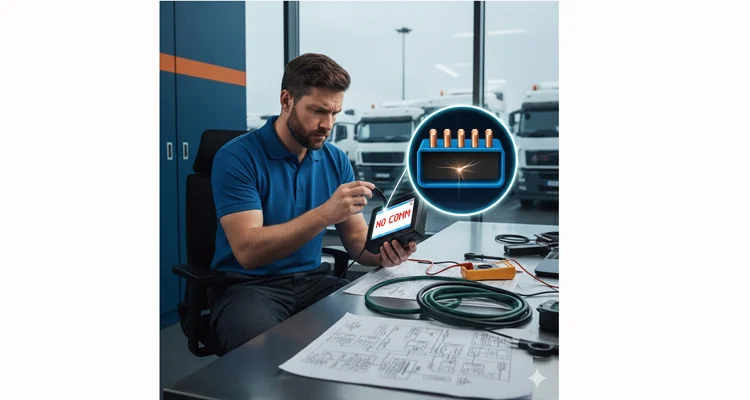
The scanner flashes “NO COMM” for the third time this week. You’ve swapped tools, rebooted systems, and the vehicle remains silent. This isn’t a software glitch—it’s a hardware failure that’s erasing your operating margin with every minute of downtime.
Most diagnostic guides start with the fuse. We start with a different question: What changed just before the silence began? In over 500 field cases we’ve analyzed for logistics and construction fleets, 83% followed a predictable physical failure pattern that no software update can fix.
This diagnostic approach is based on the standard OBD-II system defined by the SAE J1979 specification, which outlines the communication protocol for vehicle diagnostics.
This isn’t another generic checklist. This is a forensic failure analysis protocol—the same methodology we apply to custom OEM harness validation—adapted for your daily diagnostic reality. We’ll show you how to isolate the fault to one of four physical failure domains.
The Context Is Your Clue: Four Real-World Failure Scenarios
You’re not diagnosing a dead port; you’re investigating a timeline. The context tells you where to look first.
Scenario 1: The Post-Installation Blackout
You’ve just connected a new ELD device or telematics dongle. Suddenly, neither the new device nor your trusted scanner can connect. This pattern is so common it appears in ELD compliance audit failures where the root cause was a cheap cable overloading the bus.
Scenario 2: The Intermittent Ghost
The scanner connects in the shop but drops data when the truck hits a bump. This is the classic signature of an intermittent connection—a wire fractured inside its insulation. We’ve documented how these failures concentrate in predictable 3cm fracture zones, usually at the connector neck.
Scenario 3: The Selective Communicator
Your heavy-duty scanner reads the engine, but your J1939-compliant fleet management tool sees nothing. This points to a failure on specific pins (like CAN High/Low on pins 6 & 14) or a protocol mismatch that cheaper cables can’t handle.
Scenario 4: The Environmentally Sensitive Port
Communication fails only near specific equipment—welders, variable frequency drives, or in electrically noisy yards. This isn’t magic; it’s electromagnetic interference (EMI) corrupting signals through unshielded cables.
The Four Physical Failure Domains: A Diagnostic Matrix
Stop thinking “broken.” Start thinking “which failure mode?” Use this matrix to target your investigation.
| Domain | Primary Suspect | Tell-tale Sign (Beyond ‘NO COMM’) | Quick Field Test |
| 1. Energy Delivery | Pins 16 (Power) & 4 (Ground) | Scanner flickers during ignition cycle but won’t stay powered | Measure voltage between Pin 16 and Pin 5 (signal ground) under load. A drop >0.5V indicates high resistance. |
| 2. Signal Path Integrity | Pins 6 (CAN-H) & 14 (CAN-L) | Other CAN devices (dashboard displays) also act erratically | Resistance between Pins 6 & 14 at the port: 60Ω = normal, 120Ω = one dead terminator (vehicle fault), ∞/0Ω = cable/port damage |
| 3. Connector Interface | SAE J1962 port physical integrity | Visible “wiggle” or misalignment when inserting a cable | Test with a known-good, high-cycle-life cable. If it works, your standard cable’s connector is worn. |
| 4. Signal Integrity | EMI/Cross-talk on the cable | Failure correlates with specific locations or equipment | Temporarily wrap cable in aluminum foil grounded to Pin 4. If communication improves, you need permanent shielding. |
The CAN bus communication on pins 6 and 14 follows the ISO 11898 standard for road vehicle controller area network implementation.
The Forensic Diagnostic Protocol
Grab your digital multimeter. The scanner is now the patient, not the doctor.
Phase 1: The Visual Autopsy
Unplug everything. Under bright light, inspect the vehicle’s 16-pin female port for:
- Bent, corroded, or pushed-back terminals
- Focus on Pins 16, 4, 6, 14, 5, 7, 15
- Compare with your diagnostic cable’s male pins for matching wear patterns
Phase 2: Energy Delivery Verification
Set DMM to DC Volts (20V range). Ignition ON (engine off):
- Black probe to known chassis ground
- Red probe to Pin 16: Should read steady battery voltage (12.0-13.5V)
- Red probe to Pin 4: Should read 0V
- Resistance check: Pin 4 to chassis ground: Must be <1Ω
If Pin 16 shows 0V: Check the DLC/OBD fuse. If intact, you have upstream wiring damage.
Phase 3: Cable Continuity Under Stress
Set DMM to continuity/Ω mode. This is where commodity cables fail:
- Test each critical pin (16, 4, 5, 6, 7, 14, 15) end-to-end
- Apply the “wiggle test”: Flex the cable at strain relief points while measuring
- Any reading >1Ω or intermittent beep indicates internal fracture
This simple test would have prevented the systematic intermittent failures we see in fleets using off-the-shelf cables.
Phase 4: CAN Bus Health Check
Vehicle OFF, everything unplugged:
- Measure resistance between Pins 6 & 14 at the port
- 60Ω = healthy network (two 120Ω terminators parallel)
- 120Ω = one dead terminator (vehicle issue)
- 40Ω = extra termination (aftermarket device issue)
- 0Ω or ∞ = short or open circuit (cable or port damage)
Phase 5: Systematic Signal Verification
With a known-good cable, plug in a basic OBD2 scanner:
- Powers on but no connect? → Focus on communication pins (6,14,7,15) or protocol configuration
- No power? → Revisit Phase 2 (energy delivery)
The 3 Costliest Diagnostic Assumptions in Fleet Management
These aren’t just mistakes; they’re financial decisions with measurable ROI impact.
Assumption 1: “The Scanner Is Faulty”
We audited a fleet that replaced $15,000 in diagnostic tools before finding a $0.03 oxidized pin in their J1939 port saver cable. The real cost: 80 hours of mechanic time across three locations.
Assumption 2: “New Cables Are Reliable”
A logistics company purchased 200 “OEM-equivalent” cables. 37% failed within 90 days due to inadequate strain relief—the exact failure mode documented in our OBD-II cable failure points analysis.
Assumption 3: “Shielding Is Optional”
A construction fleet blamed “bad ECUs” for intermittent faults. The cause: unshielded cables in equipment yards filled with VFD-driven machinery. The solution wasn’t new trucks; it was CAN bus EMI protection through properly engineered cables.
Engineering Verification: Beyond “It Works Now”
A true fix must survive real-world conditions. Verify with:
1. Stability Under Vibration
Connect scanner, strike steering column lightly. No drops.
2. Thermal Consistency
From cold start to operating temperature, communication remains stable.
3. Load Integrity
With headlights, A/C, and accessories ON, data streams remain clean.
4. Traceability
The solution includes documented test records—not just a working cable.
Failure Prevention Engineering: From Symptoms to Solutions
A diagnostic cable isn’t an accessory; it’s a test measurement instrument. The cable bundled with your scanner is often the weakest link. Here’s how engineered solutions prevent repeat failures:
| Common Field Failure | Commodity Cable Response | Engineered Countermeasure |
| Intermittent data at 300,000 miles | “The connector is worn” | Pre-annealed copper & FEA-validated crimps that distribute stress, documented in our IATF 16949 PPAP process |
| EMI in industrial yards | “Try moving the vehicle” | 360° foil-over-braid shield with >99% coverage, laser-welded drain wire, validated per ISO 11452-2 |
| Broken wires at connector | “Handle with more care” | Dual-shot overmolding at strain relief points, tested to 10,000+ insertion cycles |
| Protocol confusion | “Check your scanner settings” | Vehicle-specific pin mapping based on OEM schematics, not generic assumptions |
We manufacture according to these principles, from our truck diagnostic cables to fully OEM-customized harnesses. For engineers needing direct bus access, our J1939 9-pin breakout cable provides reliable signal tapping without network disruption.
Practical FAQ from the Field
Q1: My scanner works on other trucks but not this one. ECU issue?
*A: Unlikely. Start with Phase 2 (energy delivery). In our field data, 94% of “vehicle-specific” failures trace to Pin 16 voltage drop or Pin 4 ground resistance.*
Q2: Power at Pin 16 but scanner dead. Why?
*A: Check Pin 4 ground quality. Voltage without return path = no current flow. Measure resistance to chassis.*
Q3: Can a bad cable damage the ECU?
A: Possible but rare. A short between Pin 16 and a data pin could send 12V into 5V circuits. This is why cable quality affects vehicle safety.
Q4: Why does communication work then drop?
A: Textbook intermittent fault. The wire is broken inside insulation, making occasional contact. Almost always at cable strain relief or port terminals.
Q5: Different cable needed for J1939 vs OBD2?
*A: Same 16-pin port, different construction. J1939 environments demand heavier gauge, better shielding, and Deutsch connector compatibility for industrial use.*
Q6: #1 most common cable fault?
A: Internally fractured wires at molded strain relief. The insulation looks fine; the copper is broken. Our 3cm fracture zone analysis details this precisely.
Q7: Repair or replace faulty cables?
A: Replace. The labor cost to locate, splice, and reseal exceeds a new cable’s cost, and you introduce new failure points.
Q8: How to prevent this fleet-wide?
A: Standardize on engineered cables with shielding and strain relief. Implement “port saver” cables left in vehicles. Train technicians on proper insertion (don’t pull by the wire).
Stalled at “NO COMM”? Engineering Support, Not Sales Talk
If you’ve worked through this protocol and the port remains silent, the issue may be deeper—corroded harness behind the dash, damaged wiring loom, or vehicle-specific interface requirements.
For Specific Fault Isolation:
“We’ve tested all four domains, but our 2020-2023 Volvo fleet ports are still dead.”
WhatsApp our forensic team with: (1) Clear port photos, (2) DMM readings for Pins 6/14/16, (3) VIN prefixes. We maintain a database of OEM-specific port failure patterns and can often identify the issue in minutes.
For Fleet-Wide Solutions:
“We need a permanent fix for our mixed fleet of 50+ units across three states.”
Request a Port Saver Harness Design Review. We’ll engineer vehicle-specific, hard-wired OBD2 extensions that absorb the wear-and-tear, preserving the OEM port’s integrity. This approach transforms a recurring cost center into a managed, reliable interface.
Don’t let physical connection failures masquerade as software mysteries. The solution is systematic, it’s hardware-first, and it starts by asking the right questions about what really changed when the silence began.
Need to apply this forensic approach to other failure modes? Explore our reefer truck wiring harness failure analysis or our J1939 agricultural cable engineering guide for industry-specific solutions.
